
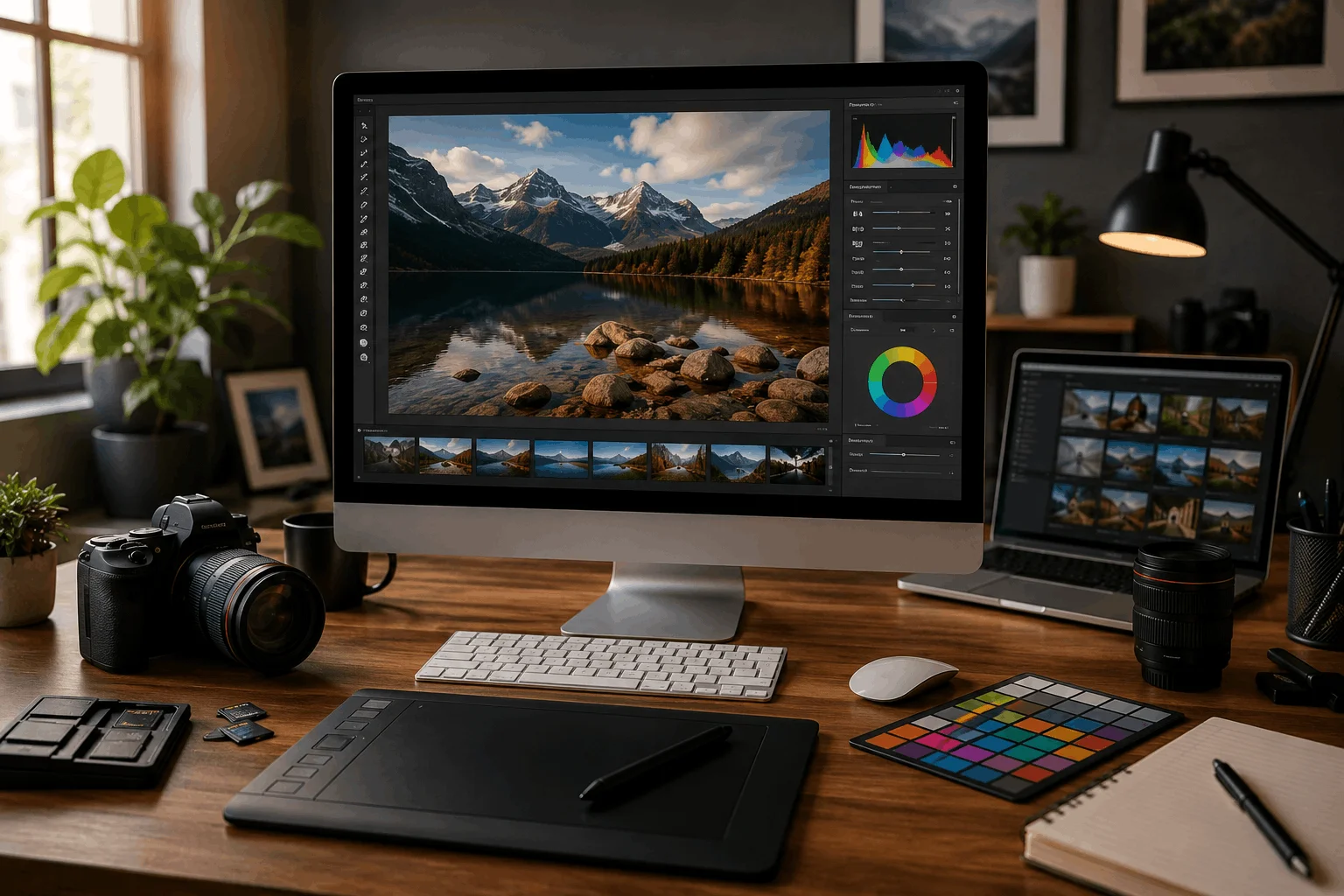
Best Software for Photo Editing: Edits to photos were once only done by professionals, but in 2026, they live inside of all content being created. Whether you are making a small change to the image’s brightness or changing the entire background of a photo with artificial intelligence, photo editing will change how the photo feels once it is on the web.
When looking for the best photo editing software for beginners, many will only need something simple and easy to use. However, when looking for the best software for photo editing for professionals, they are usually more concerned with having control over the edits that they are doing, being able to make accurate color changes, and specifically the speed in which they can do the editing. It is this difference in need that creates so many different tools available today.
The information contained in this guide was gained through use of the various tools available, not just from their marketing. Therefore, each piece of photo editing software listed here was evaluated according to the experience of using that tool for editing, not how it was sold.
Quick Comparison Table:
| Software | Best For | Platform | AI Features | Pricing Style |
| Photoshop | Full professional editing | Windows / Mac | Strong | Subscription |
| Lightroom | Photography workflow | Windows / Mac / Mobile | Strong | Subscription |
| Capture One | Studio color work | Windows / Mac | Limited | Subscription / License |
| Luminar Neo | AI-based editing | Windows / Mac | Advanced | One-time / Subscription |
| Canva | Fast content creation | Web / Desktop | Basic AI tools | Free / Paid |
| Affinity Photo | Budget professionals | Windows / Mac / iPad | Moderate | One-time payment |
| ON1 Photo RAW | All-in-one editing | Windows / Mac | Strong | Paid |
| DxO PhotoLab | Image quality focus | Windows / Mac | Advanced | Paid |
| Pixlr | Quick browser edits | Web | Basic AI tools | Free / Paid |
| GIMP | Free editing | Windows / Mac / Linux | Minimal | Free |
How We Selected These Tools?
We didn’t just look at feature lists. Almost every editing tool claims to be “powerful” or “AI-driven,” but that doesn’t always reflect real usage.
So the focus here was simple:
These tools are selected based on how each tool behaves when you actually start editing real images—portraits, low-light photos, product shots, and social media visuals.
Some tools are fast but limited. Others are powerful but slow to learn. A few sit in the middle, which is where most users usually end up staying.
We also paid attention to what people actually search for, like the best photo editing apps for photographers or a reliable photo editing program that doesn’t require constant learning.
What Makes a Good Photo Editor in 2026?
Before going into tools, it helps to understand what actually matters now.
- Clean and accurate image editing still comes first
- AI tools help, but they should not take full control
- Speed matters more than ever for creators
- Beginners need simplicity, not just features
A lot of tools look advanced on paper, but in real work, only a few feel smooth and practical.
10 Best Software for Photo Editing by Real Use:
Instead of repeating the same structure for every tool, it makes more sense to group them by how people actually use them.
Best Photo Editing Software for Beginners:
If you are just starting, you don’t need complex tools. You need something that responds quickly and doesn’t slow your learning.
Beginner designers often begin with Canva as it seems familiar. It is very much a drag-and-drop tool as opposed to being a technical editing tool. GIMP is another option, but GIMP seems somewhat out of date and requires a lot of time to learn to use effectively.
Affinity Photo fits in the middle ground – more serious than an introductory tool but still easier than an advanced tool like Photoshop when you want to learn how to properly edit without paying a monthly service fee.
Best Photo Editing Software for Photographers:
Photographers usually care about consistency and color control more than flashy effects.
Lightroom is the most common choice here. It doesn’t try to do everything—it focuses on keeping your workflow clean. You can edit hundreds of photos without feeling lost.
Capture One has a more technical feel to it, and many studio photographers prefer it because of how controlled the colors appear when working in a controlled lighting scenario, although it isn’t beginner-friendly. However, it is a very precise tool.
Best Photo Editing Software for Professionals:
When you begin working with clients, expectations will change.
Photoshop is still the most widely used tool by professionals because it is not easy to use, but it can do almost everything, and sometimes feels quite large (although that may have changed), and doesn’t perform quite as quickly as one would expect from such a powerful program. However, when complete control over image editing is needed, few programs provide as much as Photoshop.
ON1 Photo RAW is often used in place of other programs when someone wishes to edit images and keep them organized within a single program, but if you need to perform complex types of editing, Photoshop still reigns supreme.
DxO PhotoLab is also worth consideration for professionals who want the best image quality and cleanest images, especially if the work will occur in situations with limited light or very high ISO settings.
Best AI Photo Editing Software:
AI tools have changed editing speed completely.
Luminar Neo is probably the most noticeable example. It handles things like sky replacement or background changes in seconds. It feels less technical, more automated. That is good for social content, but not always ideal for detailed commercial work.
Photoshop also includes AI features now, but they still feel more like tools inside a professional system rather than a fully automated workflow.
Best Free Photo Editing Software:
Free tools always come with trade-offs.
GIMP is powerful but feels less modern. It works fine once you learn it, but it doesn’t feel as smooth as paid tools.
Pixlr is easier because it runs in a browser. It’s good for quick fixes, not deep editing.
What Do Photographers Actually Use?
What do photographers use to edit photos? Most photographers don’t stick to one tool.
A common workflow looks like this:
- Lightroom for organizing and basic edits
- Photoshop for detailed retouching
This combination is still the most practical setup in real work. Some also add Capture One when color accuracy is critical or Luminar Neo when speed matters more than precision.
Photo Editing Workflow: From Import to Final Export
A clear photo editing workflow saves time and keeps results consistent. Start by importing your images into your chosen software. Review each photo before making any changes. Then adjust exposure, contrast, color, and sharpness as needed. Finish by checking the image before exporting the final file.
A simple workflow usually includes:
- Import and organize the original photos
- Crop and straighten the composition
- Adjust exposure, contrast, and white balance
- Correct colors and improve image d
Editing Trends in 2026:
Editing is shifting in a few clear directions:
- AI is now part of almost every tool, but not fully trusted for final output
- Cloud-based editing is becoming normal for teams
- Mobile editing is no longer “basic” — it’s often enough for social content
- Speed matters more than feature count
How to Choose the Right Software?
There is no perfect tool. The better question is what kind of work you do.
If you edit casually, simplicity matters more than power.
If you work with clients, control and consistency matter more.
If you create content daily, speed becomes the priority.
Most people don’t stay with one tool forever. They switch as their needs change.
Best Photo Editing Program:
No one photo editing software is ideal for every person. The type of use will ultimately dictate which works best. Many want to have total creativity, while others do not want to spend time making changes; they just want a slick and speedy way to change photos.
When evaluating how photo-editors work in 2026, three distinct editing tools stand out, for three different reasons.
Photoshop is still regarded as the most comprehensive tool in the industry; it is almost equivalent to a fully functioning creative studio. It is capable of retouching, compositing, designing, and fixing virtually anything in an image. Although it provides the most functionality, it does take longer to learn how to operate than many other options available today. Most professionals utilize Photoshop for any situation that requires complete control over the smallest detail within an image.
Lightroom’s primary focus on workflow makes it different from Photoshop, which is much more suited for heavy design projects. It also provides a way for photographers to organize and quickly edit large numbers of photos. For this reason, many photographers use Lightroom for weddings, travel, and portraiture. Compared to Photoshop, Lightroom is easier to use for batch processing.
Affinity Photo is similar to Lightroom in its ability to provide advanced editing capabilities without the high resource demands associated with using Photoshop. Affinity Photo’s biggest advantage is that you buy it for a one-time payment instead of having to pay a monthly subscription fee; therefore, it is a good option for freelancers or beginner photographers transitioning into professional photography.
All three programs have advantages and disadvantages; therefore, the “best” software choice is based on control preferences, efficiency preferences, and cost preferences.
Can You Edit Photos Online?
There are different types of photo editing tools to use without having to install or download anything. These online options are popular among photographers because they get the job done relatively fast and easily, simply by going onto the internet, uploading your photo, and getting right to work on modifying it.
There are many basic editing tools for use online (such as Canva or Pixlr) where you can crop an image, edit the brightness of an image, correct the colors of an image, and remove a simple background from an image. This will be the level of editing you need to perform for social media (Instagram, etc.) or to create content quickly.
But online editors have limits. They depend on internet speed and cannot handle heavy files well. They also lack deep control for professional editing. So they are good for quick work, not full photo editing projects.
What’s the Best Image Editing Software for Hobbyists?
The best image editing software for hobbyists is usually the one that feels easy from the start. Most hobby users do not want complex tools or long learning steps. They just want to improve their photos simply.
Canva is a common choice because it is very easy to understand. It works with templates, so you don’t start from scratch. GIMP is another option, but it takes time to learn and feels less modern.
Affinity Photo is also a good option if you want something more advanced later. It gives more control without forcing you into monthly payments. For hobby use, simple and smooth tools work best.
How Do Photo Editors Handle Output and Sharing?
Photo editing apps have different ways to export and share pictures based on the style of each platform. Most will allow you to save a photo to either a JPG or a PNG, depending on how you will use that photo.
Websites and social media usually prefer JPG, while PNG is better for quality/clarity/transparency.
Applications like Lightroom & Canva work as an extension of your social media, allowing you to upload pictures right from those programs without leaving the app. You can also set the size of exported files so they are not too big but remain in focus.
The best editing software makes this very simple for users, so there is not a lot of wasted time trying to manipulate settings after each image.
What Is the Best Photo Editing Software for RAW Files?
If you want to have complete control over your photographs, having access to top-quality RAW file editing software is necessary for achieving that control as a photographer. The higher the detail and quality of a photo, the easier it will be to change the color, light, and sharpness of the image.
Adobe Lightroom is one of the most frequently used software applications for editing RAW images. It’s simple to use, but it also processes large amounts of images without slowing down your computer. If you’re looking for software that accurately represents what the colors will look like after you’ve edited them, Capture One will be ideal for you. It’s exactly what you need when working in a controlled studio environment. It provides an excellent visual preview of the final images after edits have been made. DxO PhotoLab has also developed an outstanding reputation for removing noise from photographs, producing exceptionally clean images, even in low-light conditions.
While each of the programs may work differently to produce extreme detail and high-quality images, all of the programs will help you produce photographs with more detail and higher quality than if you had saved the original files as JPEG files.
Best Photo Editing Software for Windows and Mac
Choosing desktop photo editing software is key, depending on your OS and how you work. Users of Windows devices typically look for software that delivers fast, efficient performance, while Mac users choose programs with high-end performance and creative features on the Mac OS platform.
When discussing advanced photo-editing software available on Windows and macOS, consider the following: Photoshop, Lightroom, Affinity Photo, and Capture One. Each of these programs offers reliable handling of editing requirements regardless of the level the operator has.
In addition, the selection of the best programs for Windows and Mac users can feature:
- Adobe Photoshop: Suitable for serious photo editing and retouching.
- Adobe Lightroom: Appropriate for amateurs engaged in a large number of photos.
- Affinity Photo: This program is a great choice for people who prefer robust functionality without paying more.
- Capture One: The best choice for photographers who focus on colors.
- Luminar Neo: A good choice for those who are interested in using AI-based editing.
Good photo editing programs should also be stable and allow users to work with files easily.
Best Paid Photo Editing Software Worth the Money
Professional-grade paid photo editing solutions often have advanced functionality, regular updates, and quality customer service. They are meant for users who desire professional-standard photography.
The top paid photo editing software will be determined based on the particular requirements of users. Photoshop is mainly preferred by professional editors, while photographers go for Lightroom and Capture One.
Some of the best paid photo editing solutions are:
- Adobe Photoshop: The best photo editing software providing complete control over images.
- Adobe Lightroom: The best option for organized photos and batch modifications.
- Capture One: The best choice for studio photography and accurate colors.
- Affinity Photo: The best choice for affordable editing with a one-time payment.
- Luminar Neo: The best photo editing software with fast AI improvements.
In general, paid applications are better suited to regular editing tasks than their free counterparts.
Best Photoshop Alternatives in 2026
Professional-grade paid photo editing solutions often have advanced functionality, regular updates, and quality customer service. They are meant for users who desire professional-standard photography.
The top paid photo editing software will be determined based on the particular requirements of users. Photoshop is mainly preferred by professional editors, while photographers go for Lightroom and Capture One.
Some of the best paid photo editing solutions are:
- Adobe Photoshop: The best photo editing software providing complete control over images.
- Adobe Lightroom: The best option for organized photos and batch modifications.
- Capture One: The best choice for studio photography and accurate colors.
- Affinity Photo: The best choice for affordable editing with a one-time payment.
- Luminar Neo: The best photo editing software with fast AI improvements.
In general, paid applications are better suited to regular editing tasks than their free counterparts.
Lightroom vs Photoshop: Which One Should You Choose?
Lightroom and Photoshop are two of the most commonly used programs produced by Adobe. While both serve the purpose of photo editing, the main distinctions between the two programs are based on their respective purposes.
Lightroom is specifically designed for photo organization and quick editing, whereas Photoshop offers users advanced editing capabilities with multiple options for adjustments and retouching.
When it comes to the best use of Lightroom, the purpose is:
- To manage large photo collections
- To perform the editing of hundreds of photos quickly
- To adjust colors, tones, and exposures
- To maintain a uniform photo style
Photoshop is best for:
- Detail photo editing
- Getting rid of objects from pictures
- Developing complex designs
- Working with effects and layers
So is Lightroom better than Photoshop? It depends on the work you have. Usually, photographers start with the usage of Lightroom first and then switch to Photoshop in order to perform detailed editing.
Photo Editing Effects for Different Creative Styles
Photo editing effects can change the mood and appearance. They range from simple filters to detailed creative adjustments. The right effect should support the image without hiding important details. Too many effects can make photos look unnatural.
Popular effects include:
- Black-and-white effects for a classic appearance
- Vintage effects for an older photo style
- Blur effects for softer backgrounds
- Light effects for brighter visual details
- Film effects for a cinematic appearance
Best Software for Portrait Editing and Photo Retouching
Portrait editing is a task that needs tools that help with skin treatment, colour, light, and detail improvement. The best portrait editing software is the one that delivers precise adjustments without making your pictures look unnatural.
Photoshop, Lightroom, and Luminar Neo are amongst the most chosen tools in this arena. They are reliable tools with powerful photo-editing capabilities that professionals and creators can use.
- The top choices in terms of best software for portrait editing are the following:
- Photoshop: Superior software for skin treatment and complicated personal effects.
- Lightroom: Excellent software for the colour correction and improvement of portrait shades.
- Luminar Neo: Top choice for fast improvements through AI.
- Affinity Photo: Superb affordable software for professional editing.
Great photo editing software can help improve pictures without distorting them.
Photo Color Correction Software for Better Image Quality
Photo color correction software helps fix inaccurate or uneven colors. It can correct white balance, exposure, saturation, and color tones. These adjustments can make photos look more natural and balanced. They also help maintain consistent colors across multiple images.
Common color correction tasks include:
- Fixing overly warm or cool images
- Balancing skin tones and natural colors
- Adjusting highlights and shadows
- Correcting unwanted color casts
- Matching colors across several photographs
Best Photo Editing Software for Different Types of Creators
In terms of editing tools for different creators, a photographer is likely to need color correction, while a YouTube content creator may need faster editing for social media. Your content type and the workflow you choose will determine the best software for you.
Out of all the options, here are some of the best ones according to the kind of creators:
- Content creators can use software such as Canva, Lightroom, and Luminar Neo to make quick images.
- YouTube gurus can use software like Photoshop, Canva, and Lightroom for creating thumbnails and images for their channels.
- Graphic designers can use software like Photoshop and Affinity Photo due to their strong design capabilities.
- Online retailers can enhance their product images using software like Photoshop and Lightroom.
- Real estate marketers can improve the quality of their real estate photos using software like Lightroom and Photoshop.
- Wedding photographers can benefit from image cataloging software such as Lightroom and Capture One, which allows them to manage a large number of images easily.
Choosing a software solution based on your specific needs saves time and guarantees superior editing quality.
Essential Features to Look for in Modern Photo Editing Software
While new photo editing tools provide endless opportunities for editing, not all of them are equally useful for everyone. A good program will have those features vital for the user.
Professional photographers usually look for rapidity and accuracy in processing photos.
Essential features include:
- Batch processing: this kind of tool will help you work with several images simultaneously.
- Layered photo editor: allows an advanced level of editing.
- Non-destructive photo editing: this process enables users to work with a photo without changing and affecting the original image.
- Software with presets helps speed up editing when you need to apply similar adjustments to many photos.
- HDR photo editing: helps to recover the details of images with extreme highlights and shadows.
- Photo editing software that enhances photos: image processing is simple and helps to make pictures clearer.
- Image editing software helps process advanced parameters in photos.
- AI in photo editing: allows users to perform automatic operations like removing backgrounds.
Lightweight software: can operate on less powerful devices as well.
Best Free Image Editors and Open-Source Photo Editing Software
Free photo editing applications are advantageous for inexperienced and casual users. These applications provide basic editing services free of charge.
Using a free photo editing tool, you can perform tasks such as cropping, color adjustment, resizing, and simple enhancements.
The most popular free editors include:
- GIMP: One of the most powerful photo manipulation applications that is free and is open-source.
- Pixlr: A basic online photo editor.
- Photopea: A web-based application with advanced tools.
- Canva Free: Suitable for making graphics and images.
For PC users, the best free photo editing option is GIMP because it supports layers and filters and offers more advanced features.
Even a free AI photo editor would be sufficient for most tasks. The applications mentioned above, such as Pixlr and Canva, also offer AI features for faster performance.
Is Photoshop Still the Best Photo Editor in 2026?
Photoshop remains one of the most effective photo-editing software tools available today. It provides solid control both for skilled operators as well as creative users. Nevertheless, Photoshop is not always an easy option in general terms. Many newcomers may experience difficulties while using Photoshop, as they may find it much more difficult to apply.
One of the reasons why Photoshop is still the first choice of many people is the following:
- Professional photo retouching tools for professional editing.
- Layers feature for more control.
- Artificial intelligence for fast editing.
- Creativity that provides chances to apply complex designs.
So we may conclude that this application is still the greatest one for many professionals. However, the decision depends on the user’s personal editing habits.
Final Thoughts:
If you look at all these tools together, the differences are not just about features. They are about workflow.
- Photoshop feels powerful but heavy.
- Lightroom feels clean and stable.
- Canva feels fast but limited.
- Luminar Neo feels automated but less precise.
The “best” tool is usually the one that doesn’t slow your work down.
Frequently Asked Questions FAQs:
Which photo editing program(s) will be best in the year 2026?
The “best” photo software depends on the user’s requirements. Photoshop provides the most advanced editing capabilities, while Lightroom provides a solid solution for managing long-term photo editing projects. For novice users, Canva is frequently a good option because it is simple to use.
Is free software for photo editing sufficient for beginning users?
For basic photo editing, yes. There are many tools available for free, such as GIMP or Pixlr. These tools are useful for simple photo editing needs, such as cropping, adjusting colours, and resizing. Unfortunately, free software tends not to provide more advanced editing capabilities.
What types of software do photographers tend to use to edit their photographs?
Photographers frequently utilise a combination of software applications to edit their photographs. Lightroom is often used as both an organisation tool and an editing tool for photographers. Photoshop is frequently used for detailed retouching of images. For certain situations, Capture One is preferred by some photographers because of its ability to produce colours that are true to life.
What photo editing software is the simplest to learn how to use?
Canva is the easiest of the photo editing applications to learn; in fact, the user can begin using it immediately because of its drag-and-drop interface and available templates. There is no need for technical knowledge to use Canva as a beginner user.
Will I require the use of AI tools for photo editing in 2026?
AI-based editing tools will be beneficial to users, though they WILL NOT BE REQUIRED. AI-based editing tools can often assist with time-consuming photo editing activities, such as removing backgrounds from images or adjusting the colour of images. However, it is important to note that manual editing is also an important aspect of achieving adequately edited images.



Leave a Reply